SponsorDesk Sponsored Posts allows publishers to effectively manage sponsored posts, including scheduling, disclosure labels, and performance tracking.
Features
Create Sponsored Posts — Easily create sponsored posts with sponsor details, including name, logo, and metadata.FTC-Compliant Disclosure Labels — Customize disclosure labels to meet FTC requirements for transparency.Scheduling and Expiration Management — Schedule when posts go live and set expiration dates to manage visibility.Performance Reporting — Access detailed reports on views and clicks for each sponsored post.User-Friendly Admin Interface — Manage all sponsored posts from a single, intuitive admin interface.Shortcode for Displaying Sponsorships — Use the [sponsoredposts] shortcode to display active sponsorships on your site.
How it works
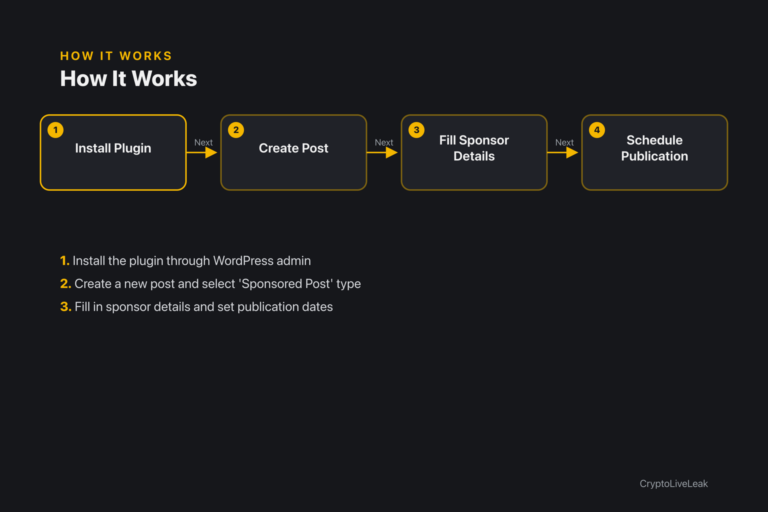
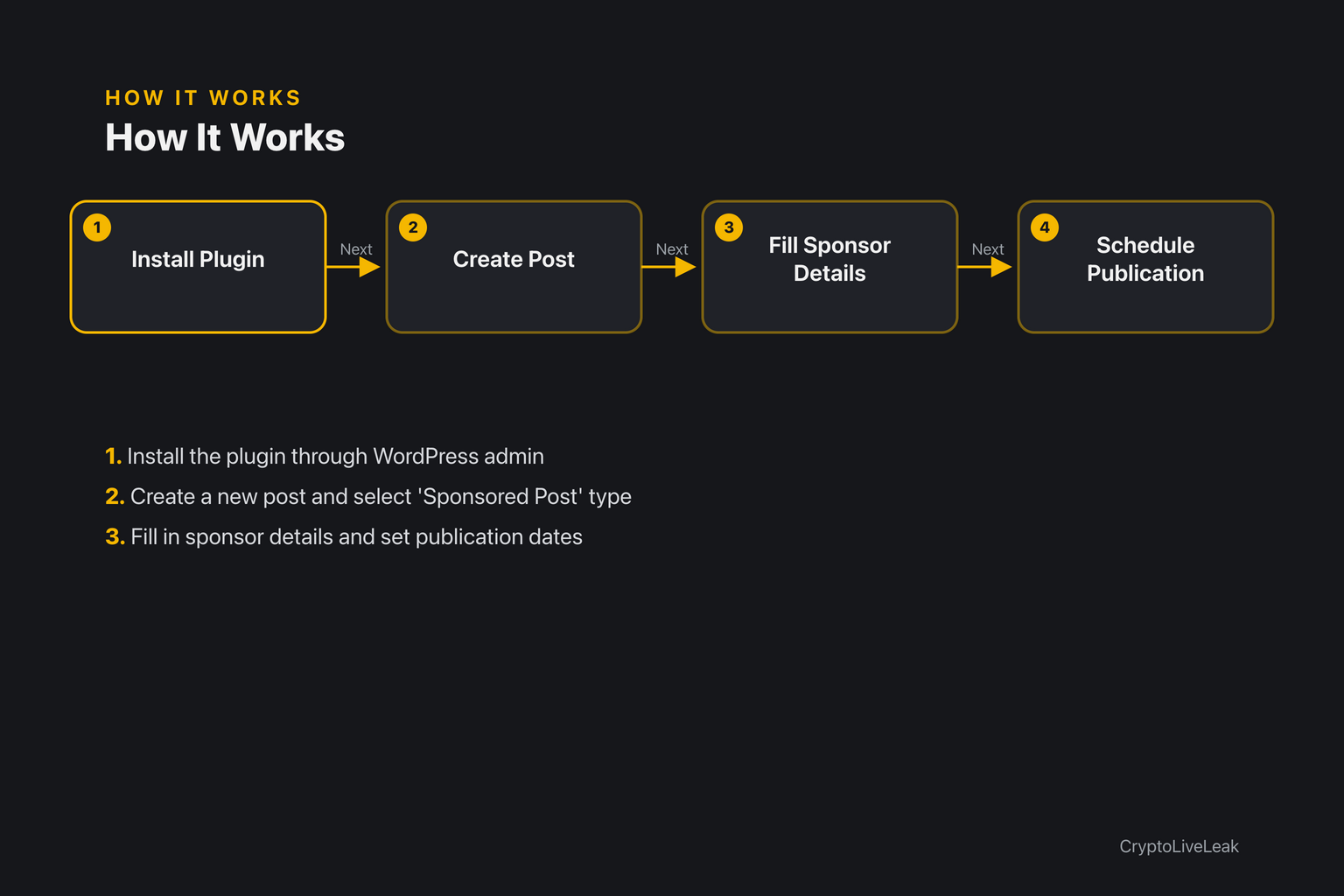
Install the plugin through WordPress admin
Install the plugin through the WordPress admin.
Create a new post and select 'Sponsored Post' type.
Fill in sponsor details and set publication dates.
Requirements
WordPress 6.0 or newer
PHP 7.4 or newer
Tested up to WordPress 6.6
Installation
Upload the plugin zip via Plugins → Add New → Upload Plugin.
Activate the plugin from the Plugins screen.
Configure settings under Settings → SponsorDesk Sponsored Posts.
Frequently asked questions
Where are the settings?
Settings → SponsorDesk Sponsored Posts.
How do I mark a post as sponsored?
Create or edit a post of type 'Sponsored Posts' and fill in the Sponsor Details.
What happens when a sponsorship expires?
Expired posts are moved to Draft automatically and a hook is triggered.
How do I list active sponsorships on a page?
Use the [sponsoredposts] shortcode with appropriate attributes.
Can I customize the disclosure label?
Yes, you can customize the text, color, and position of the disclosure label.
Changelog
1.0.0
Support & documentation