Human Review Queue — Drafts enter a review queue for quality assurance before publishing.
Provenance Tracking — Each post carries metadata for source and fetch time.
Dedupe Guard — Prevents duplicate posts with a unique content hash.
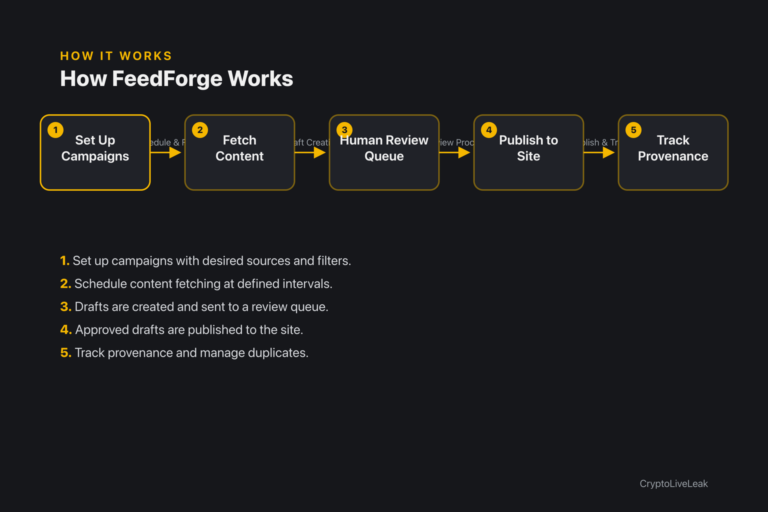
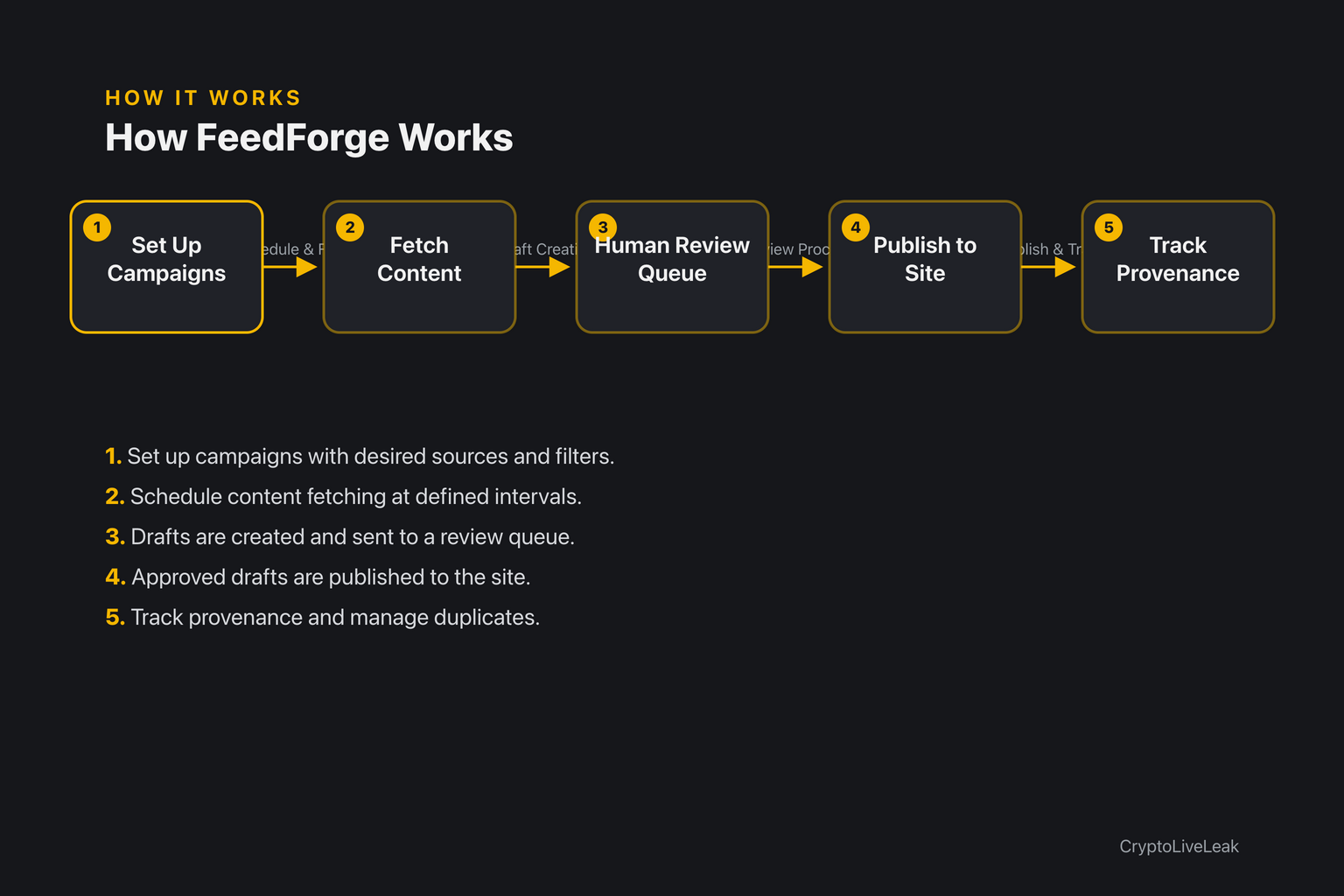
How it works
Set up campaigns with desired sources and filters.
Set up campaigns with desired sources and filters.
Schedule content fetching at defined intervals.
Drafts are created and sent to a review queue.
Approved drafts are published to the site.
Track provenance and manage duplicates.
Requirements
WordPress 6.0 or newer
PHP 7.4 or newer
Tested up to WordPress 6.6
Installation
Upload the plugin ZIP via Plugins → Add New → Upload Plugin.
Activate the plugin through the Plugins screen.
Access Settings → FeedForge Content Automation to configure.
Frequently asked questions
Where are the settings?
Settings are located under Settings → FeedForge Content Automation.
Will this import posts from an RSS feed?
Not in version 1.0.0; source adapters are planned for future releases.
Does the plugin contact any external service?
No, it makes no outbound HTTP requests.
Does it create custom database tables?
No, it only stores one WordPress option.
Does it send my content to an AI provider?
No, there is no AI integration in this release.
Changelog
1.0.0
Added
Plugin bootstrap `feedforge-content-automation.php` with the WordPress plugin header (Version 1.0.0, Requires at least 6.0, Requires PHP 7.4, Text Domain `feedforge-content-automation`, GPL-2.0-or-later).
Constants `FEEDFORGE_CONTENT_AUTOMATION_VERSION`, `FEEDFORGE_CONTENT_AUTOMATION_FILE` and `FEEDFORGE_CONTENT_AUTOMATION_DIR`.
Translation loading via `load_plugin_textdomain()` on `plugins_loaded`, with `/languages` as the domain path.
Core singleton `Feedforge_Content_Automation` with a static `settings()` reader that coerces a malformed stored value and merges over the default `array( 'enabled' => 1 )`.
Exposed action `feedforge_content_automation_init( array $settings )`, fired on `init` only while the plugin is enabled — the extension point for future pipeline code.
Admin singleton `Feedforge_Content_Automation_Admin`, instantiated only in admin context, registering a settings page under Settings → FeedForge Content Automation with the `manage_options` capability.
Settings form with one **Enabled** checkbox, a `wp_nonce_field()`, and a post/redirect/get save flow ending in `wp_safe_redirect()`.
`admin-post.php` handler `feedforge_content_automation_save`, guarded by an explicit `current_user_can( 'manage_options' )` check and `check_admin_referer()`.
Activation routine that seeds `feedforge_content_automation_settings` with `enabled = 1` only when the option does not already exist, so reactivation never overwrites a saved choice.
`uninstall.php` that deletes the plugin's single option on deletion.
`ABSPATH` guards on every logic file, a `WP_UNINSTALL_PLUGIN` guard on the uninstall routine, and `index.php` directory stubs in the plugin root, `includes/` and `languages/`.
Transform WordPress into a campaign-driven content pipeline with FeedForge.Unlimited campaigns for content managementSupports RSS, JSON API, and webhooksHuman review queue for quality control