LinkLedger Affiliate Links transforms your WordPress site into an affiliate revenue hub with branded, trackable links, automatic FTC disclosure, and broken-link detection.
Features
Branded Affiliate Link Management — Easily shorten, rename, and manage crypto exchange affiliate URLs with unique referral codes.
Real-Time Analytics Dashboard — Monitor click counts and referral revenue performance directly from your WordPress dashboard.
Automatic FTC Disclosure — Automatically inject customizable FTC disclosure notices into your posts for compliance.
Broken-Link Detection — Receive alerts for broken links with suggestions to replace them, ensuring link health.
Customizable Link Settings — Assign categories, set expiry dates, and manage disclosure settings per link.
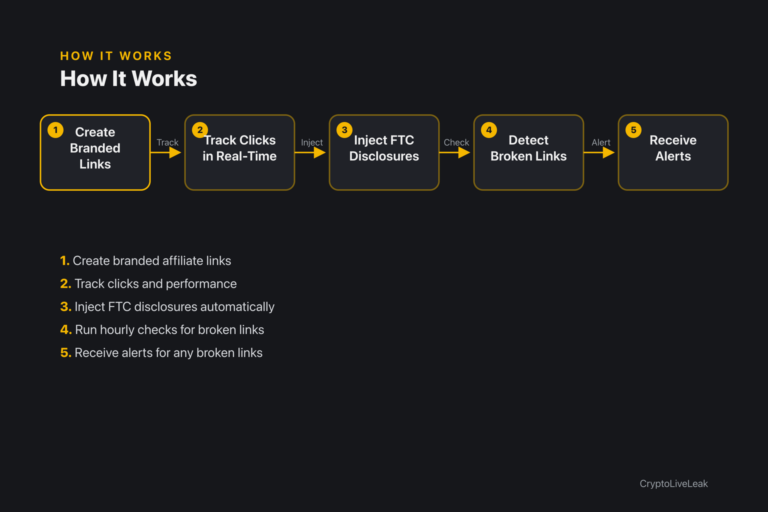
How it works
Create branded affiliate links
Create branded affiliate links with referral codes.
Track clicks and performance in real time.
Inject FTC disclosures automatically into posts.
Run hourly checks for broken links.
Receive alerts for any broken links detected.
Requirements
WordPress 6.0 or newer
PHP 7.4 or newer
Tested up to WordPress 6.6
Installation
Upload the plugin zip via Plugins → Add New → Upload Plugin.
Activate the plugin to create necessary database tables.
Go to Links → Add New to create your first affiliate link.
Configure settings at Settings → LinkLedger Affiliate Links.
Frequently asked questions
What are the main features of LinkLedger?
LinkLedger allows you to create branded affiliate links, track clicks, manage FTC disclosures, and detect broken links.
How does the broken-link detection work?
The plugin performs hourly checks on all affiliate links and notifies the admin if any links are broken.
Can I customize the FTC disclosure text?
Yes, you can customize the FTC disclosure text in the plugin settings.
Is there support for Do Not Track?
Yes, the plugin respects Do Not Track settings and skips tracking for users with it enabled.
How do I import multiple affiliate links?
You can batch import links using a specific format in the Links → Batch Import section.
Changelog
1.0.0
Added
Initial release.
`linkledger_link` CPT for branded affiliate links with referral code, category, expiry date, and per-link disclosure toggle.
`/go/{slug}` branded redirect endpoint with click logging (link_id, referral_code, timestamp — no PII), Do Not Track support, and a logged-out tracking opt-out.
`[linkledger_link slug="…"]` shortcode and a per-post affiliate-link usage audit trail.
Automatic FTC disclosure injection on posts that use a disclosure-enabled affiliate link.
Hourly broken-link scan of affiliate links used in published posts, with admin email alerts.
Dashboard widget: total clicks, manual referral-revenue entry, top links by domain.
Branded affiliate links with click tracking, FTC disclosure, and broken-link detection—designed for crypto publishers.Manage referral codes per exchangeAutomatic FTC disclosure injectionReal-time click tracking and analytics